> ## Documentation Index
> Fetch the complete documentation index at: https://docs.snagsolutions.io/llms.txt
> Use this file to discover all available pages before exploring further.
# Permissions
> Manage admin roles and team access by adding wallet addresses and setting permissions. Control who can manage your platform and receive important updates.
## Overview
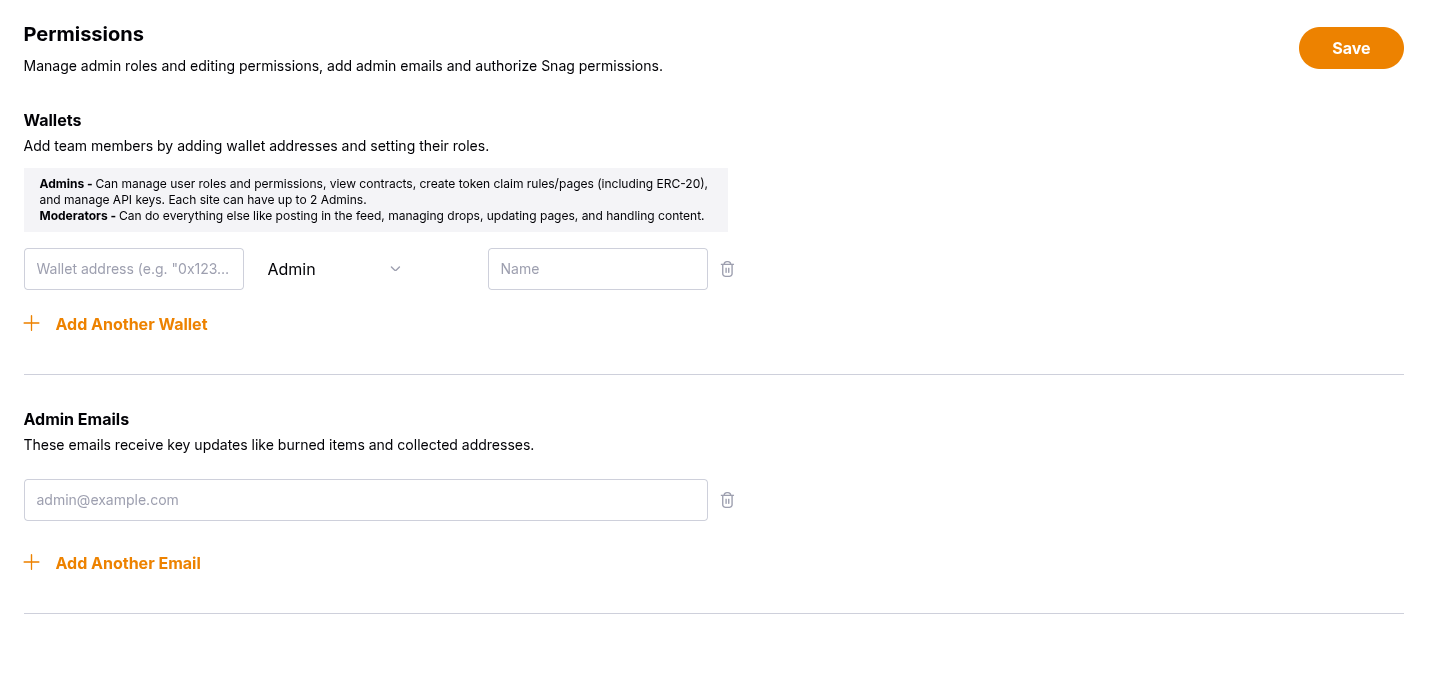
The **Permissions** tab allows you to manage team access and administrative roles for your platform. You can add team members by their wallet addresses, assign appropriate roles, and configure admin email notifications for important updates.
***
## Wallets
Add team members by adding their wallet addresses and assigning appropriate roles. This ensures only authorized users can access administrative functions.
### Adding Team Members
Enter the wallet address of the team member you want to add.
Select their role from the dropdown (Admin or Moderator).
Optionally add a display name for easier identification.
Click **Save** to apply changes.
### Role Types
**Admins** - Can manage user roles and permissions, view contracts, create token claim rules/pages (including ERC-20), and manage API keys. Each site can have up to 2 Admins.
**Moderators** - Can do everything else like posting in the feed, managing drops, updating pages, and handling content.
You can have a maximum of 2 website super admins. If you need to add
additional admins beyond this limit, please [contact
Snag](https://www.snagsolutions.io/contact) for assistance.
***
## Admin Emails
Configure email addresses that will receive key platform updates and notifications.
These emails receive important updates like:
* Burned items notifications
* Collected addresses reports
* Other critical platform events
Admin emails are separate from wallet-based permissions and can be managed
independently.
***
## Best Practices
* **Start with Moderators**: Begin by adding team members as Moderators for most day-to-day tasks
* **Limit Admin Access**: Only promote trusted team members to Admin roles due to the 2-admin limit
* **Keep Emails Updated**: Ensure admin email addresses are current and monitored regularly
* **Use Display Names**: Add meaningful display names to make team management easier