> ## Documentation Index
> Fetch the complete documentation index at: https://docs.snagsolutions.io/llms.txt
> Use this file to discover all available pages before exploring further.
# Customization
> Snag gives partners powerful tools to customize their platform's branding, layout, and theme—no code required. This guide walks through all available customization options to help you tailor your white-labeled experience to your brand and community.
## Overview
The **Customization** tab is where you manage all visual and branding settings for your platform. It’s organized into three main sections:
1. **Platform Settings** - Define platform-wide identity like name, favicon and currency.
2. **Themes** - Set global colors, typography and custom CSS.
3. **Header** - Control your logo, home page, navigation links and social links.
***
## Platform Settings
These settings define your platform’s core identity and optional capabilities.
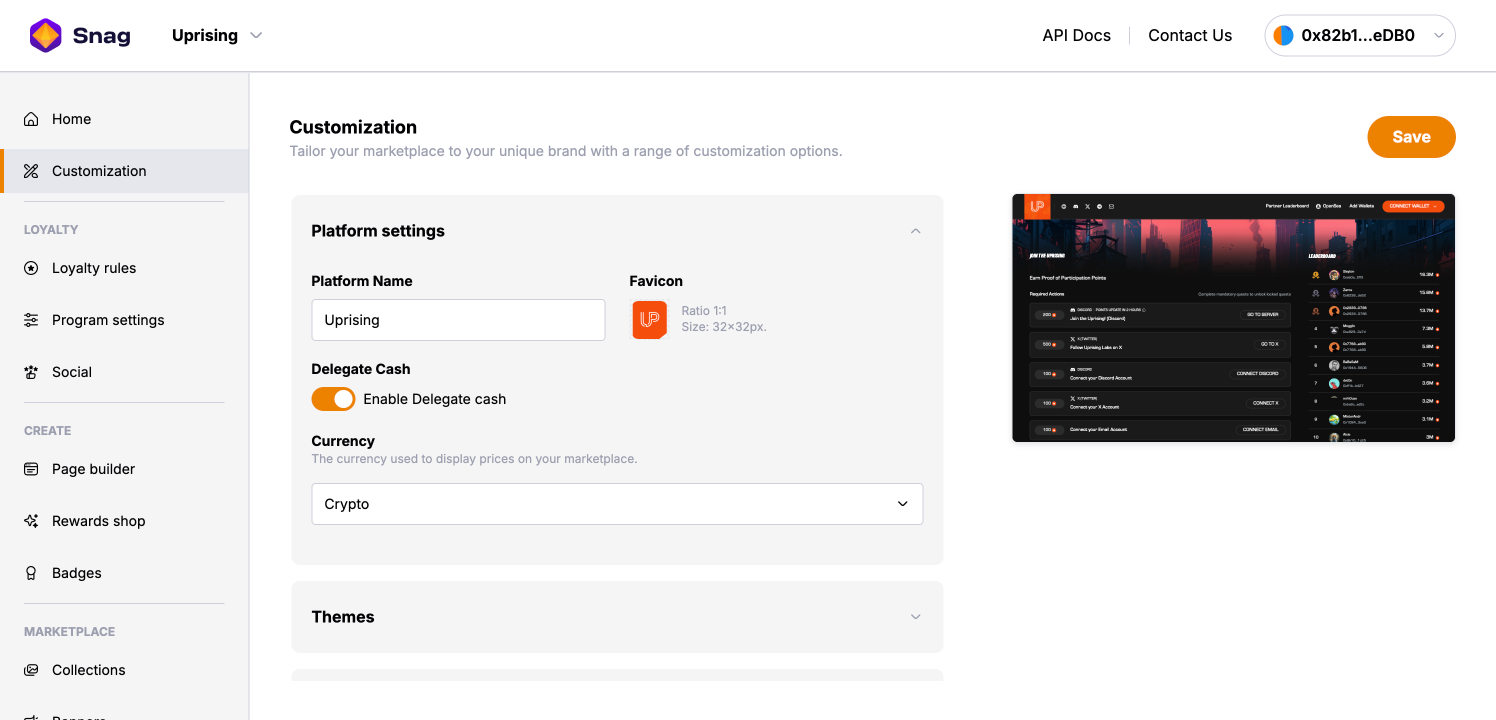 * **Platform Name**: Sets the name shown in the UI and browser.
* **Favicon**: Upload a 32x32 icon that appears in the browser tab.
* **Delegate Cash**: Toggle [Delegate.cash](http://Delegate.cash) support for secure delegated access.
* **Currency**: Select how prices are displayed - either in Crypto or Fiat.
***
## Themes
Set platform colors to align with your brand identity. Themes define the look and feel of your entire platform.
* **Platform Name**: Sets the name shown in the UI and browser.
* **Favicon**: Upload a 32x32 icon that appears in the browser tab.
* **Delegate Cash**: Toggle [Delegate.cash](http://Delegate.cash) support for secure delegated access.
* **Currency**: Select how prices are displayed - either in Crypto or Fiat.
***
## Themes
Set platform colors to align with your brand identity. Themes define the look and feel of your entire platform.
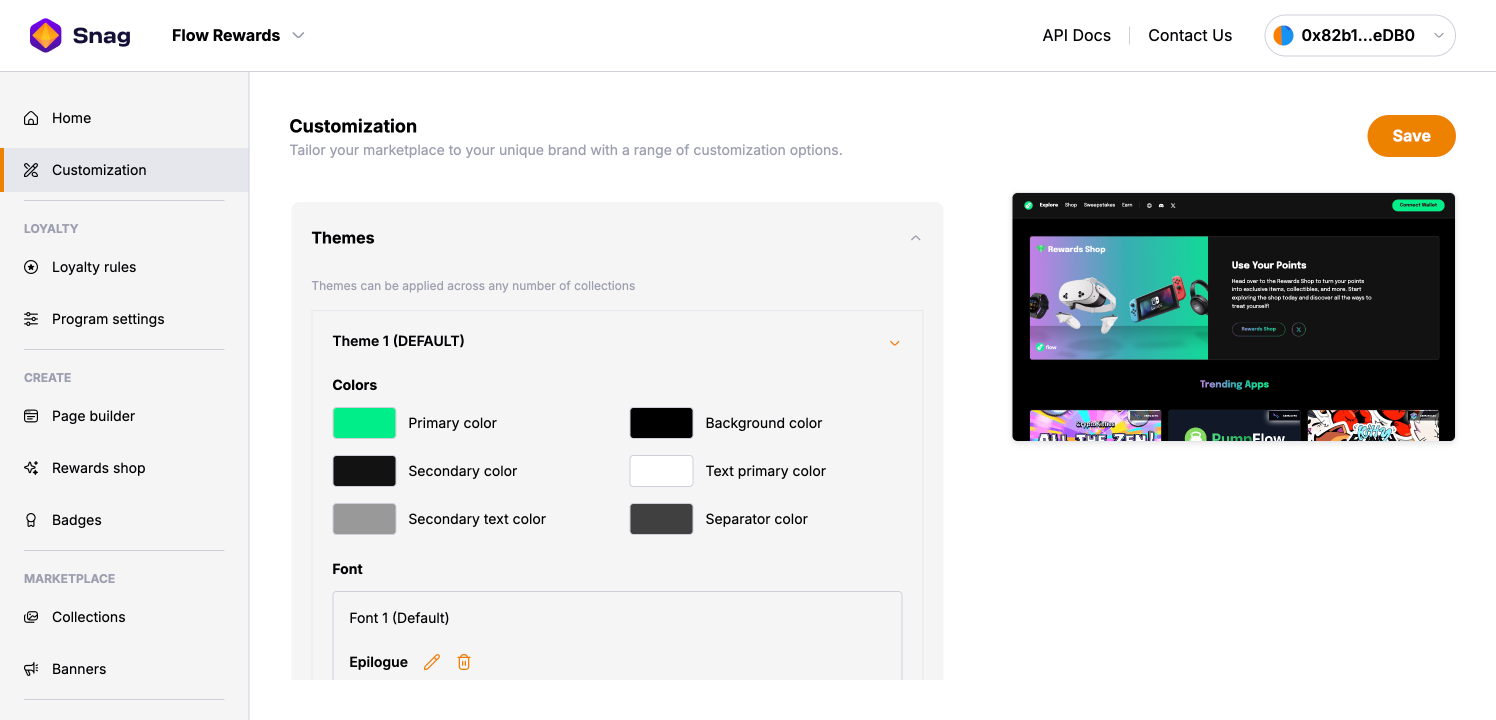 ### Colors
Define your color system to ensure consistency across all UI components:
* **Primary Color**: Main brand color used for primary buttons and key highlights.
* **Secondary Color**: Applied to secondary buttons and container backgrounds.
* **Background Color**: Sets the default page background color.
* **Text Colors**: Define both **primary** and **secondary** text colors for clear readability.
* **Separator Color**: Used for lines, borders, and dividers between elements.
Make sure your colors have enough contrast for accessibility.
### Fonts
Choose a default font or upload your own to match your brand typography.
* You can **add multiple fonts**.
* Use **Custom CSS** to target specific elements or sections with your uploaded fonts.
### Custom CSS
Edit the `stylesheet.css` file to add advanced visual overrides or tweaks.
### Page Background
Upload a custom background image or texture - this will appear across **all pages**.
***
## Header
Use this section to personalize the top navigation area of your platform.
### Colors
Define your color system to ensure consistency across all UI components:
* **Primary Color**: Main brand color used for primary buttons and key highlights.
* **Secondary Color**: Applied to secondary buttons and container backgrounds.
* **Background Color**: Sets the default page background color.
* **Text Colors**: Define both **primary** and **secondary** text colors for clear readability.
* **Separator Color**: Used for lines, borders, and dividers between elements.
Make sure your colors have enough contrast for accessibility.
### Fonts
Choose a default font or upload your own to match your brand typography.
* You can **add multiple fonts**.
* Use **Custom CSS** to target specific elements or sections with your uploaded fonts.
### Custom CSS
Edit the `stylesheet.css` file to add advanced visual overrides or tweaks.
### Page Background
Upload a custom background image or texture - this will appear across **all pages**.
***
## Header
Use this section to personalize the top navigation area of your platform.
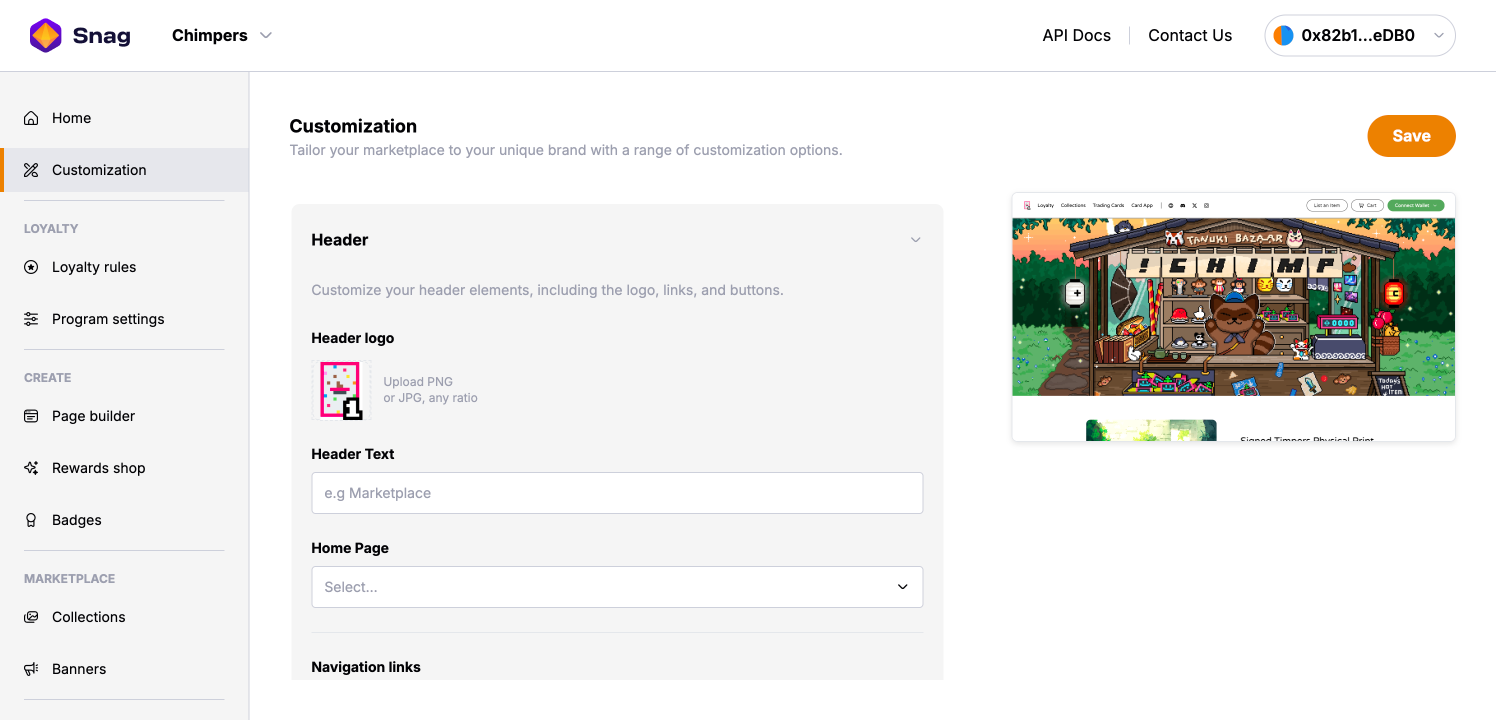 * **Header Logo**: Upload a PNG or JPG in any ratio. This will be shown in the top-left of your header.
* **Header Text**: Optional label (e.g. "Loyalty Program", "Ecosystem" or "Season 01").
* **Home Page**: Select the default landing page from your available pages.
* **Navigation Links**: Define custom nav items to guide users to key areas of your platform or to external pages.
* **Social Links**: Link social profiles by adding URLs for Twitter, Discord, Telegram and more.
* **Header Logo**: Upload a PNG or JPG in any ratio. This will be shown in the top-left of your header.
* **Header Text**: Optional label (e.g. "Loyalty Program", "Ecosystem" or "Season 01").
* **Home Page**: Select the default landing page from your available pages.
* **Navigation Links**: Define custom nav items to guide users to key areas of your platform or to external pages.
* **Social Links**: Link social profiles by adding URLs for Twitter, Discord, Telegram and more.