> ## Documentation Index
> Fetch the complete documentation index at: https://docs.snagsolutions.io/llms.txt
> Use this file to discover all available pages before exploring further.
# Fork a GitHub Repository
> GitHub repo fork loyalty rule. Reward users for forking your GitHub repository.
## **Overview**
This loyalty rule allows admins to reward users for forking a specific [GitHub](https://github.com/) repository. This rule is useful for encouraging developers to contribute to your open-source projects and build community engagement.
## **Prerequisites**
* The user must have connected their GitHub account to Snag.
* The user must fork the specified GitHub repository.
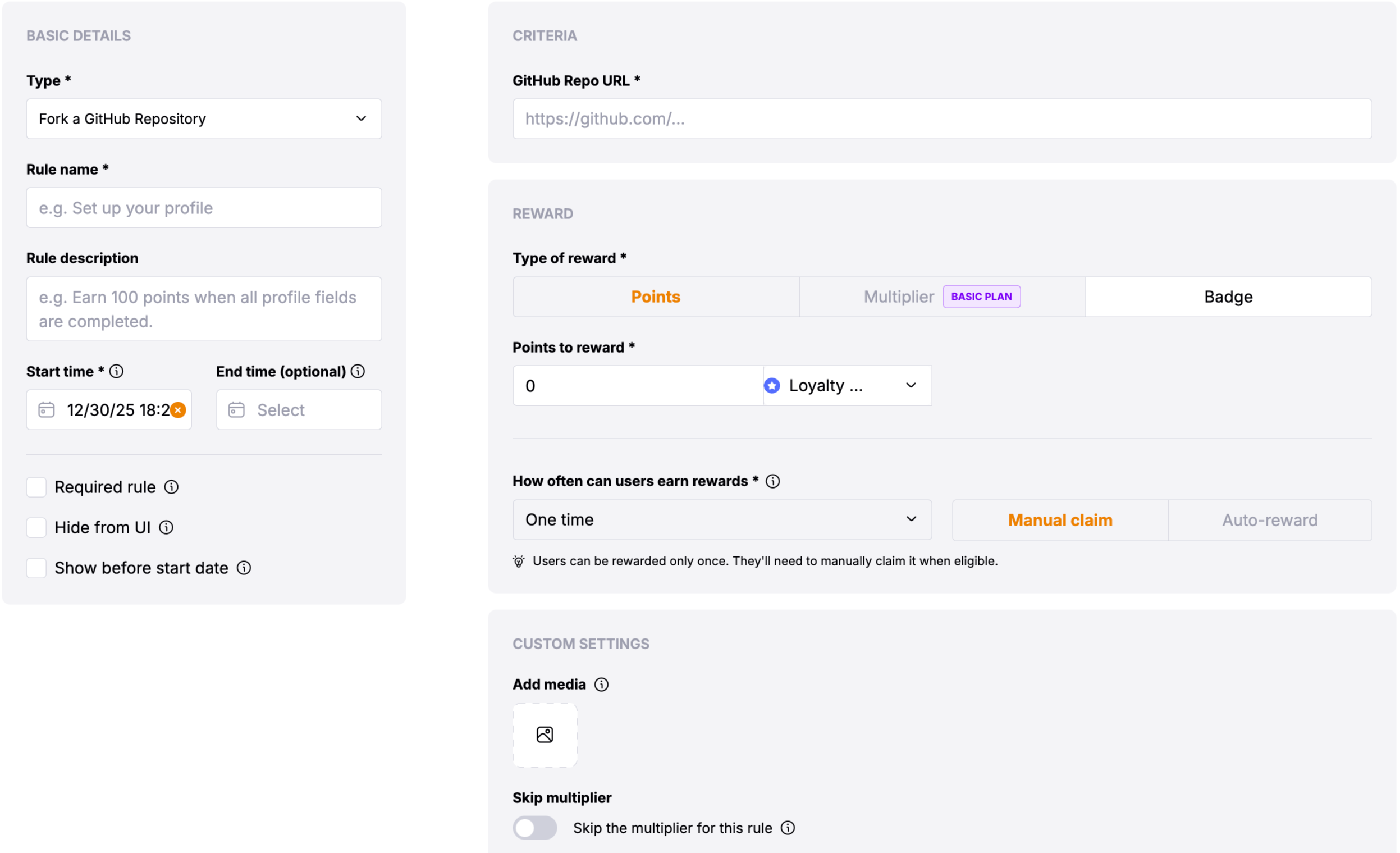
## **Rule Configuration Fields**
### **Reward**
* **Type of Reward**: Choose between "Points" or "Multiplier".
* **Points**: Users will get the defined no of points.
* **Multiplier**: Users will get the multiplier of the defined amount.
### **Basic Settings**
* **Update Cadence**: The Fork GitHub Repository rule rewards users **immediately** upon successful verification that the repository has been forked.
* **User Reward Frequency**: This is a one-time reward that users can claim after forking the repository.
### **Custom Settings**
* **Skip the multiplier for this rule**: Toggle to skip the multiplier for this rule
* **GitHub Repo URL** \*: The full URL of the GitHub repository that users need to fork (e.g., `https://github.com/owner/repository`). This is a required field that identifies the target repository.
## **Verification Process**
Users verify their GitHub repository fork through the following process:
Users must first connect their GitHub account to Snag if they haven't already done so.
Users navigate to the specified GitHub repository using the provided URL and
click the fork button to create a fork of the repository.
After forking the repository, users can claim the reward through the loyalty
rule interface.
The system verifies that: - The repository has been forked by the user's
connected GitHub account - The fork is a direct fork of the specified
repository
Once verified, users receive their reward immediately.
## **Important Notes**
The GitHub Repo URL should be in the format
`https://github.com/owner/repository`.